SpeaD 1.0 · Spider
Spider Design
Nonlinear Suspension Modelling
A nonlinear corrugated spider model — profile, rolls and material in, Kms, Kms(x), F(x) and the excursion limits out.
Corrugated spider modelling
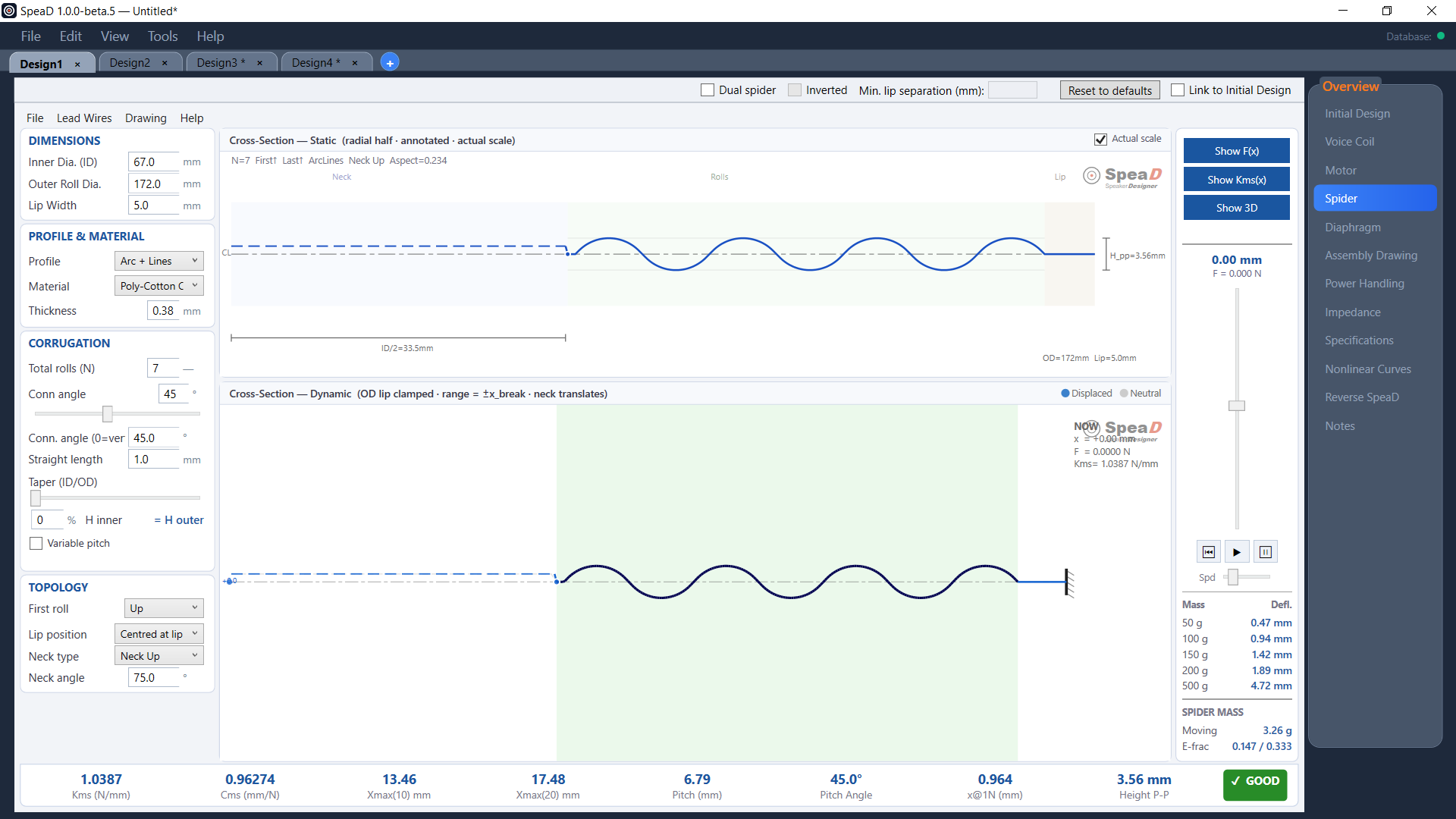
The Spider page designs the corrugated spider — its dimensions, profile, number of rolls, material and thickness — and predicts the stiffness at rest (Kms), how stiffness changes with excursion (Kms(x)), and the excursion limits the spider allows, with highly accurate results.
Inputs
- Dimensions — inner diameter, outer roll diameter and lip width.
- Profile — Sinusoidal, Circular Arc, Arc + Lines or Sine + Lines, with the spider cloth chosen from the database and its thickness.
- Corrugation — roll count, connecting-flank angle, straight length, taper (ID/OD) and variable pitch for progressive designs.
- Topology — first-roll direction, lip position (centred, below or above lip), and neck type (up, down, or up with trough) and angle.
Link to Initial Design connects the spider to the driver: the neck follows the voice coil, the outside diameter is seeded from Sd, the spider’s stiffness and moving mass go to Initial Design, and the spider and cone are placed against the motor.
Dual spider puts two identical spiders on the former; Inverted mirrors the second so the push / pull asymmetry of a single spider cancels away from rest. SpeaD gives the minimum lip separation between them.
Results
Kms and Cms at rest; Xmax(10) and Xmax(20), where compliance has fallen to 75 % and 50 % of its rest value; pitch and pitch angle; deflection under 1 N; peak-to-peak height to caliper on a real part; a sag table from 50 to 500 g; and the spider’s moving mass. A GOOD / CAUTION / BAD badge compares the design with the nearest spider in SpeaD’s reference set.
Kms(x), F(x) and 3D
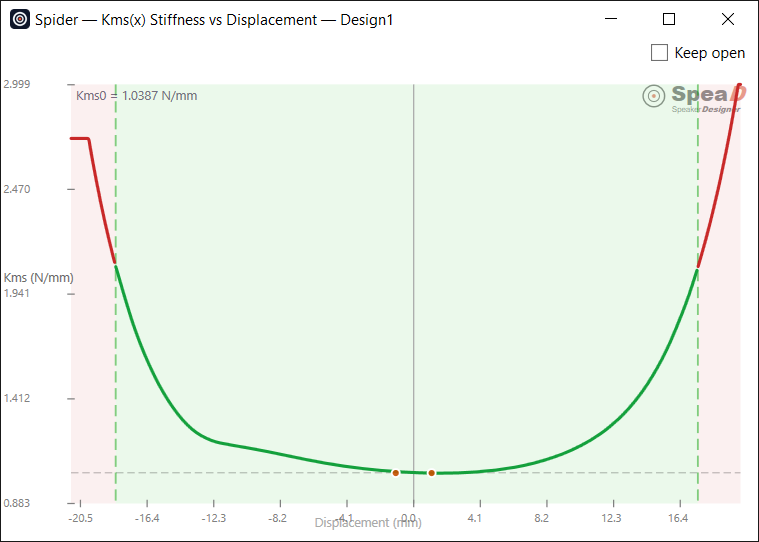
Kms(x) shows the range out to Xmax(20) in green and red beyond it. F(x) adds a hysteresis loop and a linear reference. The slider animates the spider through its travel, with the dynamic cross-section coloured by stress, and the 3D window colours the spider by stress and cuts it to a 3/4 or 1/2 section.
Files and suppliers
Save a spider on its own or as a SpeaD component file for the parts library, send a blank supplier workbook and read a filled one back, export the results as CSV, and open the spider drawing.
Read the Spider chapter of the SpeaD Owner’s Manual for every control on the page.