SpeaD 1.0 · Reverse SpeaD
Reverse SpeaD
Driver Synthesis from System Targets
Conventional design starts with a driver and works forward. Reverse SpeaD inverts the process — specify the system performance you need, and SpeaD works out the driver.
Inverting the design problem
Initial Design goes forward: you describe the parts and SpeaD tells you what the driver will be. Reverse SpeaD goes the other way. You describe the system you want — enclosure type, box volume, low-frequency corner, alignment — together with the constraints you already have on the driver, such as Re, cone size, moving mass and Xmax. SpeaD works out the driver parameters needed to meet them: Fo, Qts, Qes, Vas, BL, Mms and Cms, the sensitivity, and the enclosure figures.
Use it at the start of a project to set targets, then build those targets on Initial Design and compare the Parameters column with them.
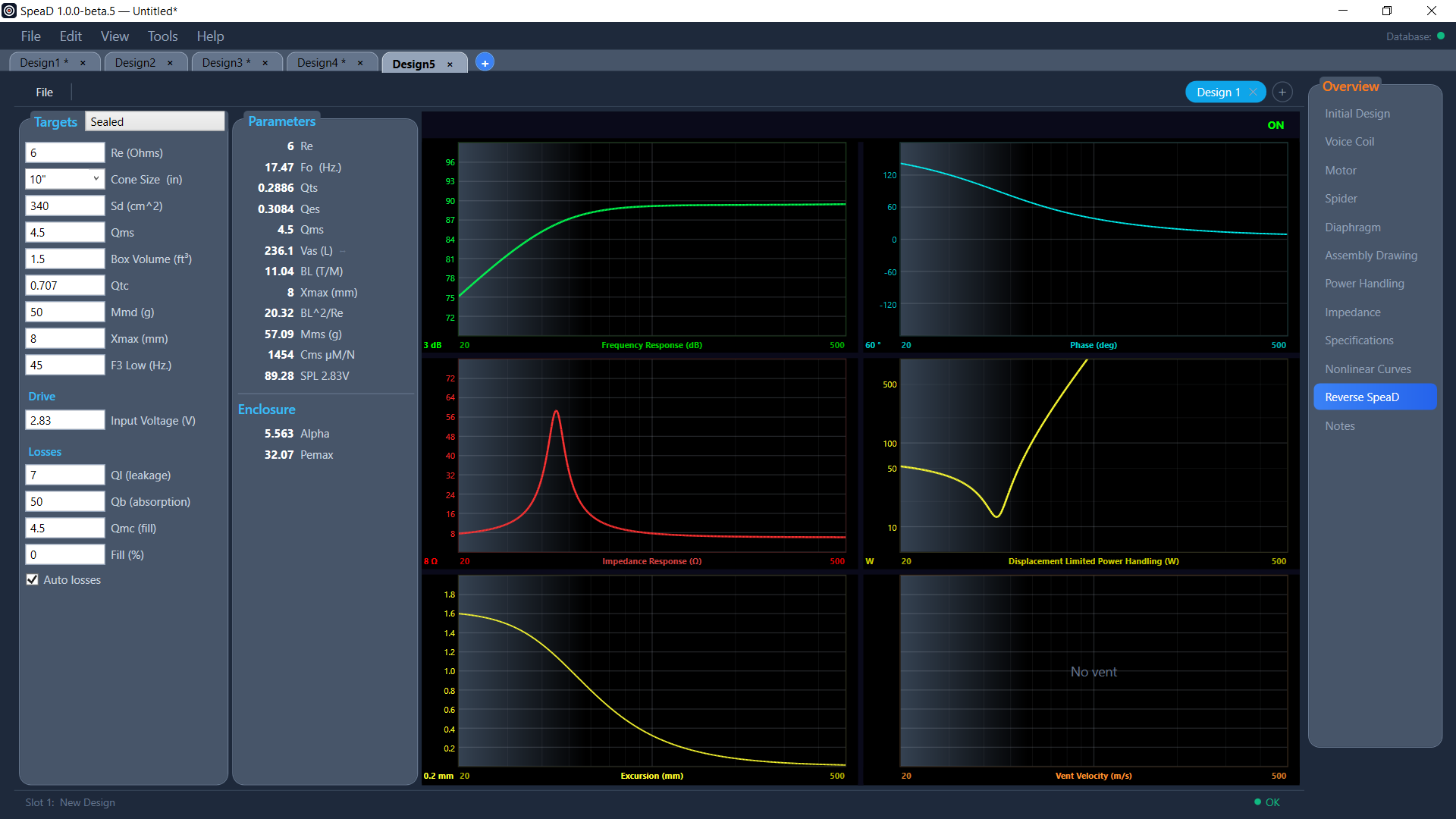
Six enclosure types
Infinite Baffle, Sealed, Vented, Passive Radiator, Bandpass 1 Vent and Bandpass 2 Vents. Vented and passive-radiator designs use the B3, C4, BB4 or SBB4 alignment. Enclosure losses (leakage, absorption and fill) can be set by hand or worked out automatically.
Six graphs, six designs
Frequency Response, Phase, Impedance, Displacement Limited Power Handling, Excursion and Vent Velocity are all on screen at once and redraw as you type. Each page holds up to six designs side by side for comparing trade-offs; designs save individually or as a set, and print on one page with their targets, parameters, enclosure and losses tables and all six graphs.
Read the Reverse SpeaD chapter of the SpeaD Owner’s Manual for every control on the page.