SpeaD 1.0 · Initial Design
Initial Design
Where the Driver Is Designed
Coil, motor, soft parts and the parameters they resolve to — on one live page. Everything downstream in SpeaD reads from here.
One page, fully live
Initial Design is where a driver is designed. Nearly every value that defines the driver is typed here, and the rest of SpeaD reads from it: the Motor, Spider, Diaphragm, Power Handling, Specifications and Nonlinear Curves tabs are all downstream of this one page.
There is no Calculate button anywhere on the page. Type a value and press Tab or Enter, and every affected panel updates. The fastest way to learn a design is to change one number and watch which panels move.
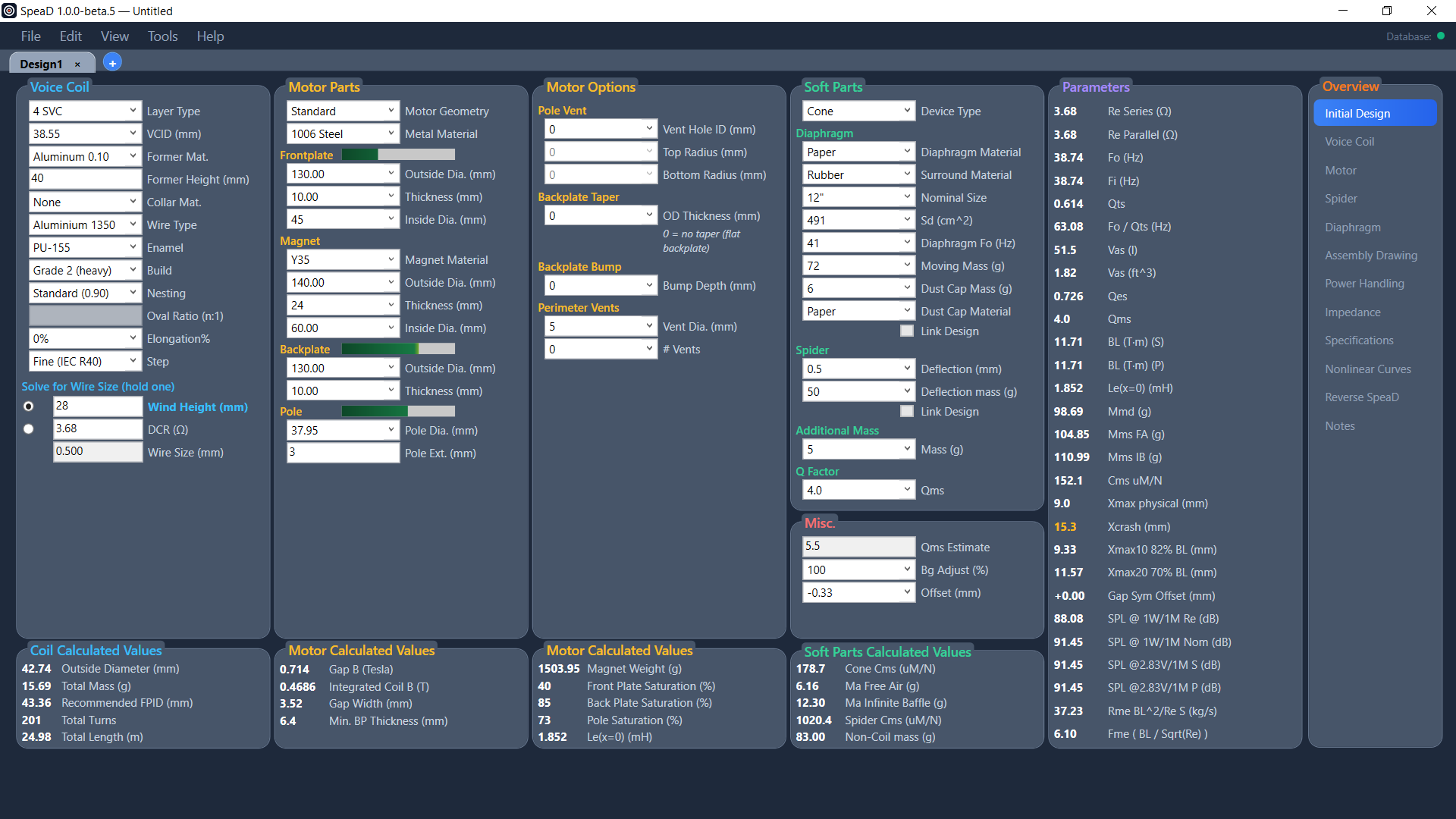
Six columns, left to right
- Voice Coil — former, wire, winding architecture and the solve targets.
- Motor Parts — topology, steel, frontplate (top disk), magnet, backplate (cup) and pole dimensions and materials.
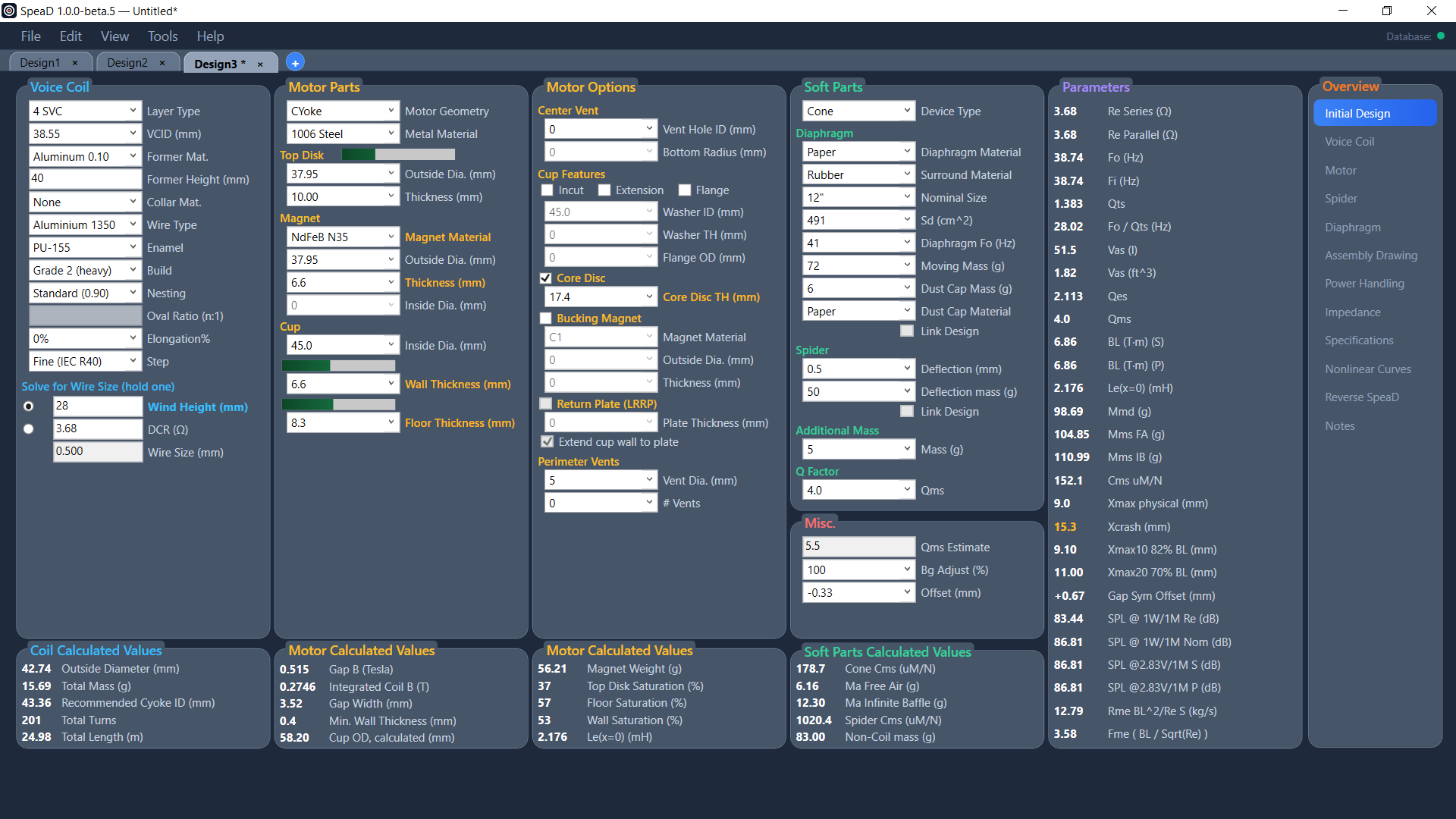
- Motor Options — pole or center vent and edge radii, backplate taper and bump, perimeter vents, and on a CYoke the cup features, core disc, bucking magnet and return plate.
- Soft Parts and Misc. — diaphragm, dust cap and surround materials, nominal size and Sd, diaphragm Fo, moving mass, the spider deflection test, added mass and Qms; Misc. holds Qms Estimate, Bg Adjust (%) and the coil Offset.
- Parameters — the full Thiele-Small set the design resolves to, from Re and Fo through Qts, Vas, BL, the excursion limits, Gap Sym Offset and the SPL figures.
- Overview — the navigator to SpeaD’s other tabs: Voice Coil, Motor, Spider, Diaphragm, Assembly Drawing, Power Handling, Impedance, Specifications, Nonlinear Curves, Reverse SpeaD and Notes.
Coil Calculated Values, two Motor Calculated Values panels and Soft Parts Calculated Values run as one row across the bottom of the page, each under the input panel it belongs to — outside diameter, mass, Recommended FPID, turns and wire length; Gap B, Integrated Coil B, gap width, magnet weight, the steel saturations and Le(x=0); cone and spider compliance, air masses and non-coil mass.
Matching a measured driver
Bg Adjust (%) scales the calculated gap flux density. Move it until the predicted parameters line up with a driver you have measured, and everything downstream of the motor moves with it — BL, Fo, Qes, Qts, the SPL figures and the excursion limits. Any value other than 100 shows Gap B and Integrated Coil B in red, so an adjusted result is never mistaken for a raw prediction.
Offset (mm) shifts the coil’s rest position in the gap. Open a Bl(x) window and change it — the curve redraws immediately. Gap Sym Offset in the Parameters column reports the offset that would make Bl(x) symmetric.
Change the motor type without starting over
Pick a different Motor Geometry on an edited design and SpeaD asks what should happen to your dimensions. Keep my dimensions, translated carries the coil, soft parts, steel, Bg Adjust and Offset across and keeps the gap; the fields SpeaD fills in for you are labelled in amber until you edit them. You can apply the change to the current tab or open the result as a new design, to compare the same driver on two topologies side by side.
Designs, projects and notes
Each design opens in its own tab and saves as a .SpeaDDesign file; a project saves every open design together with the project notes. Import Legacy .spd… brings a design from the original VB6 SpeaD into a new tab. Design notes are kept inside each design file and can be printed on the Specifications sheet.
Read the Initial Design chapter of the SpeaD Owner’s Manual for every control on the page.