SpeaD 1.0 · Preferences
Preferences
Settings that shape how SpeaD calculates and warns — clearances, drawing identity, units and language — across every design.
Clearance schedule
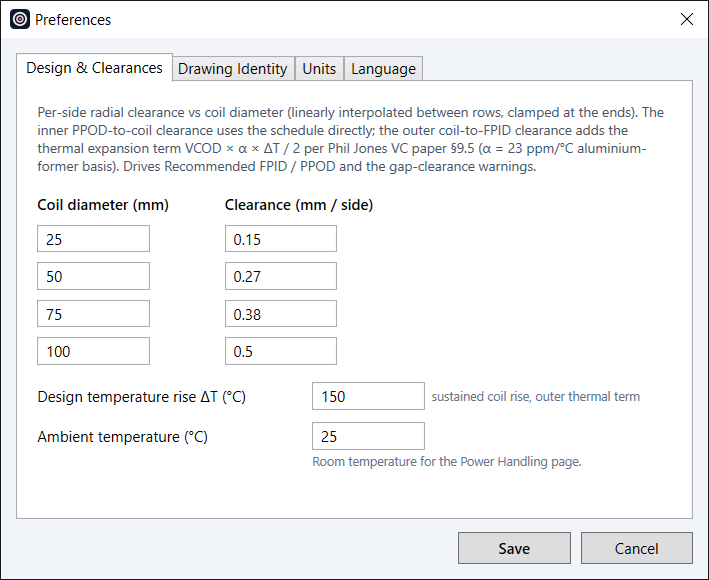
SpeaD’s table of recommended per-side radial clearance against coil diameter drives the Recommended FPID, the recommended pole diameter, and the orange under-clearance warnings on the motor fields. The outer coil-to-FPID clearance adds a thermal-expansion allowance for the hot coil, set by the design temperature rise. Ambient temperature for the Power Handling page is set here too.
Drawing identity
Designer name, company name, contact info and a logo for every drawing title block and specification sheet.
Units and air load
Show Sd in cm² or m², and choose which moving mass sets Fo, Q and SPL: infinite baffle (the Klippel LPM / LSI convention, the default) or free air.
Language
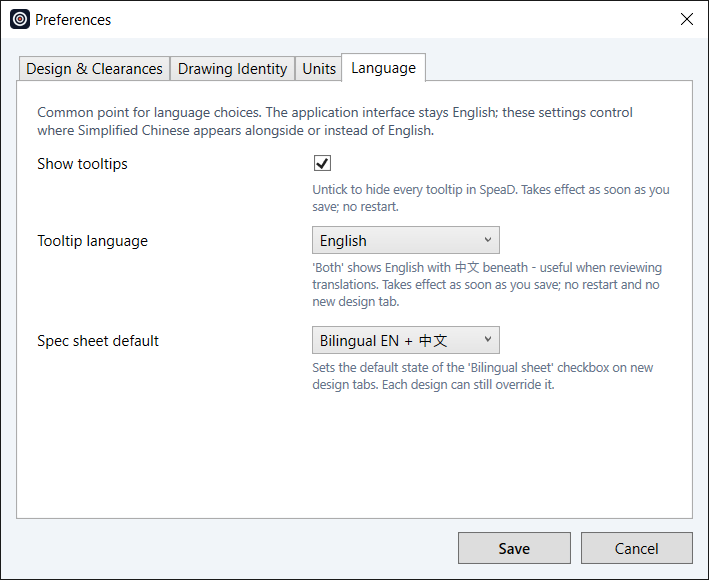
SpeaD’s interface is English. Tooltips can show English, Chinese, or both, and specification sheets can default to bilingual English and Chinese — the convention Chinese manufacturers use for RFQs.
Read the Preferences chapter of the SpeaD Owner’s Manual for every control on the page.