SpeaD 1.0 · Specifications
Specifications
The Driver Data Sheet
The parameters you choose, laid out the way a data sheet reads — ready to print, export or paste.
A specification sheet from the design
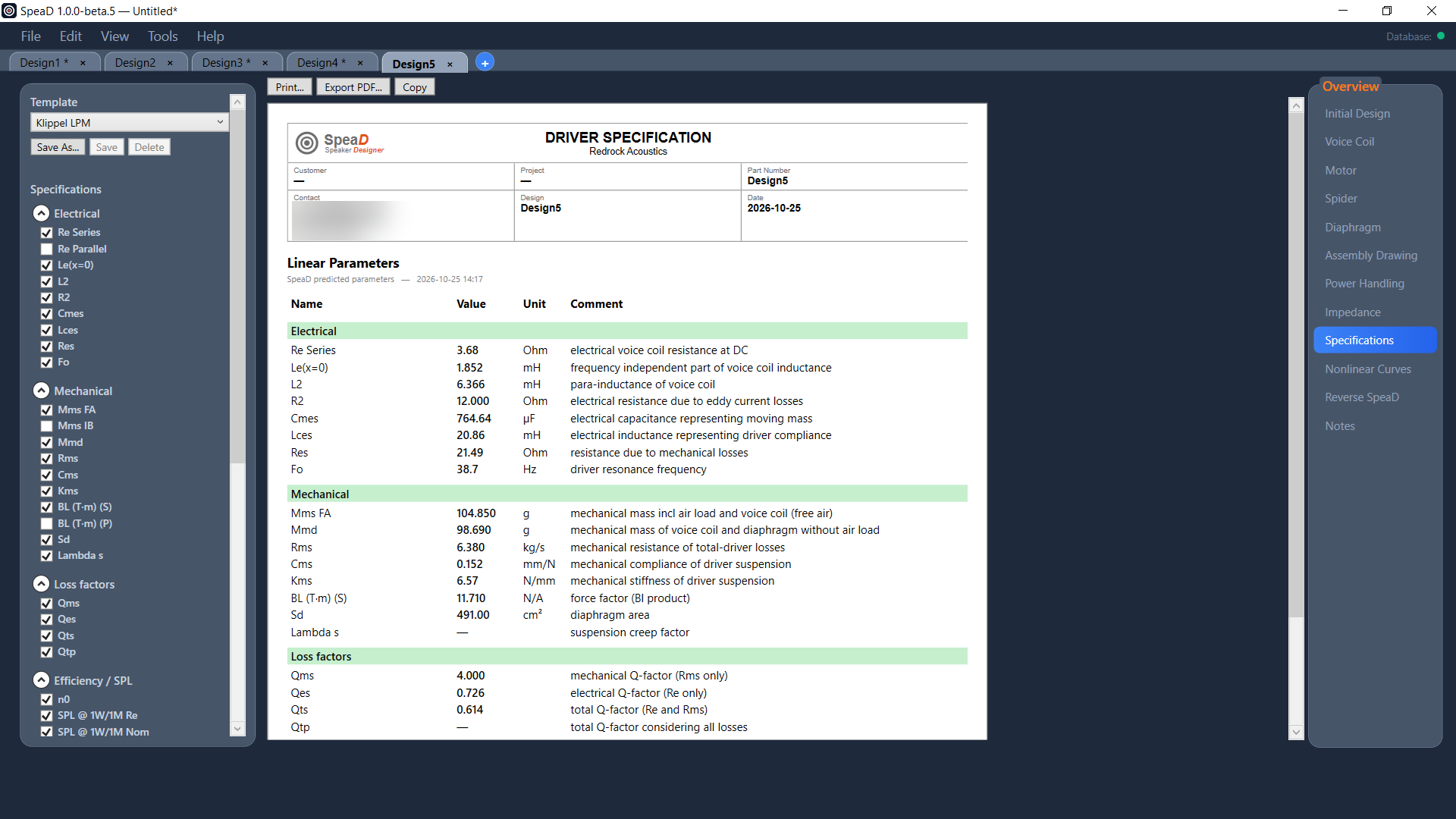
The Specifications page builds a Driver Specification sheet from the current design. The left rail lists every parameter SpeaD can report, in groups, each with a tick box; the sheet shows the ticked rows with their value, unit and a comment. The header carries your logo and company from Preferences, and the customer, project and part number from the Voice Coil tab.
Templates
- Klippel LPM — the small-signal set of a Klippel LPM report, so a predicted sheet lines up with a measured one.
- Klippel LSI — the small-signal parameters plus the large-signal rows.
- Your templates — tick the rows you want and save the pattern; templates are available in every design.
Groups cover electrical, mechanical, loss factors, efficiency and SPL, the Klippel displacement limits, motor and magnetic values, voice-coil build, large-signal parameters, graphs (Bl(x), Le(x), Kms(x), L(i) and Z(f)), the Power Handling table, parts descriptions and drawings, and the design notes.
Print, PDF and copy
Print the sheet, export it to PDF, or copy it to the clipboard as both a picture and tab-separated text, so it pastes into a document or a spreadsheet.
Read the Specifications chapter of the SpeaD Owner’s Manual for every control on the page.